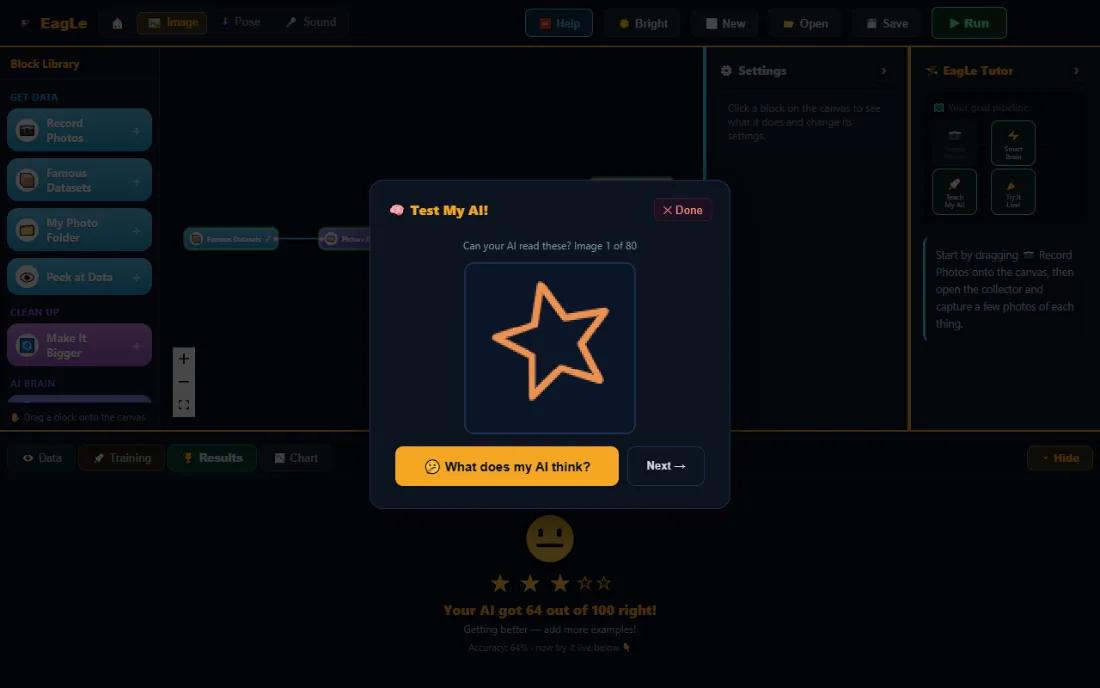
Learning Journeys Early Years Planned Junior Open now Maker Open now Explorer Planned Creator Planned Researcher Planned
Get Started
AI education for the next generation

Don’t Just Teach Coding. Teach the Science of Intelligence.

Visualise the Flow.Understand the Learning.Explain the Intelligence.

EagLearn helps learners build AI projects while discovering how intelligence works: from data and models to predictions, experiments and real-world applications.

Runs in the browser, nothing to install Photos and sounds stay on the device Free during early access
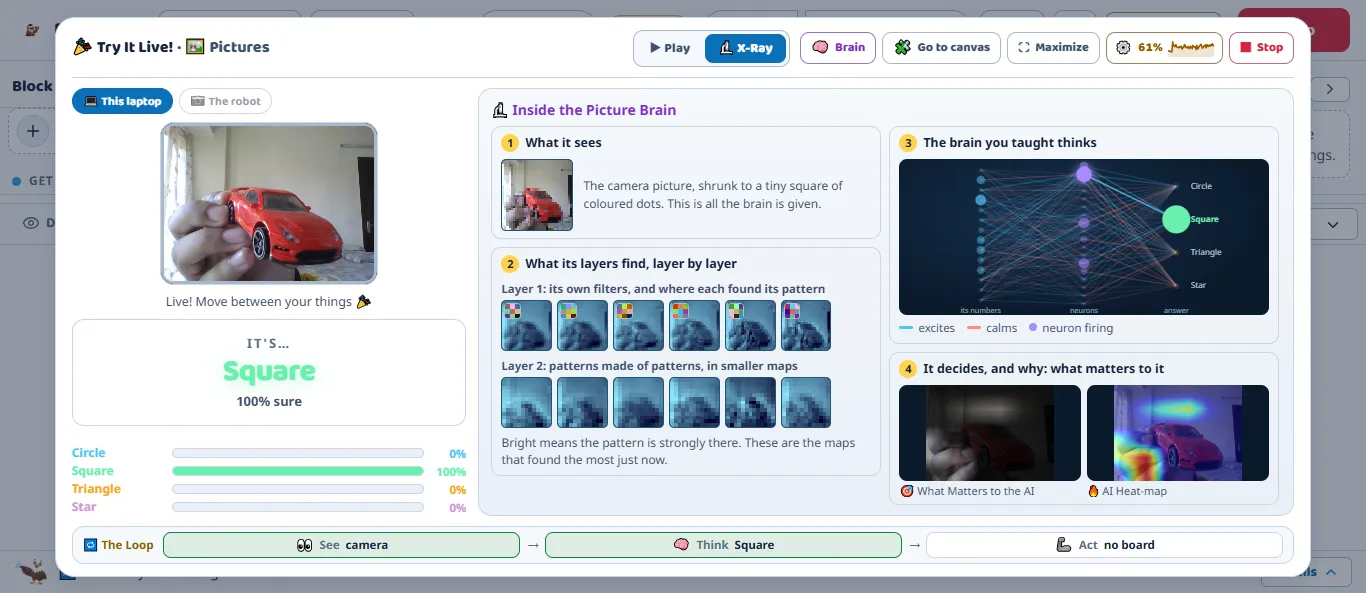
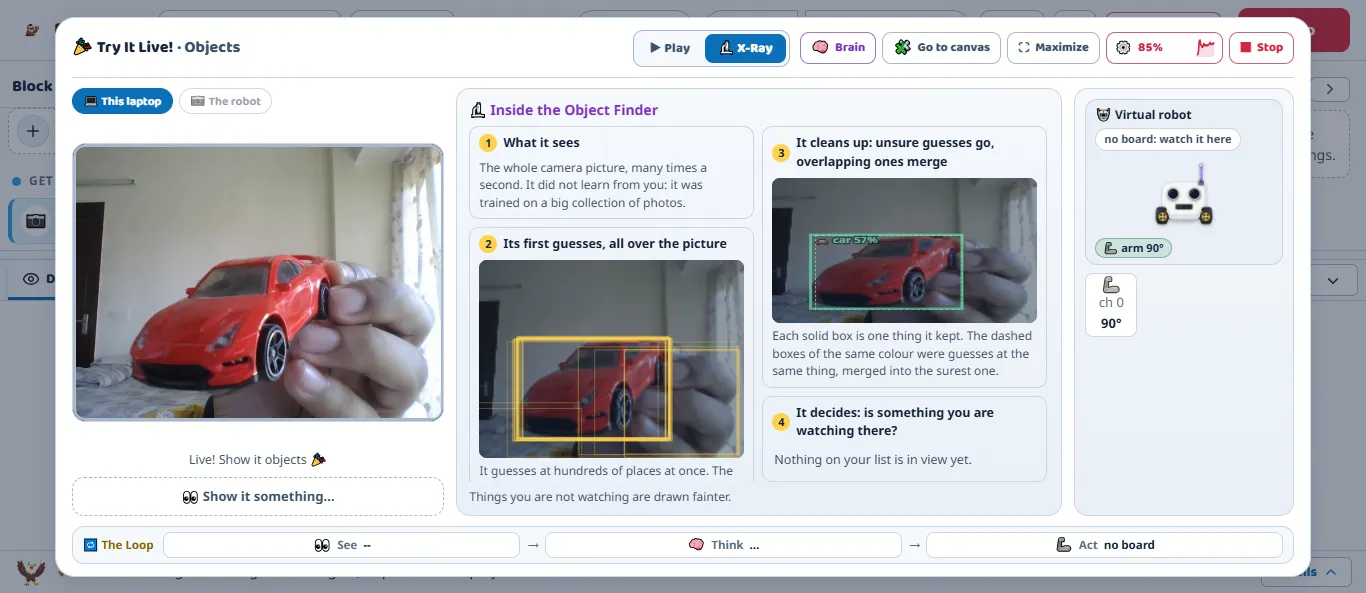
EagLearn Maker, Try It Live with the Face Reader: the camera shows a face, the face movements it reads are listed as bars, and the answer says Smiling, 80 percent sure. The loop at the bottom reads See, Think, Act.
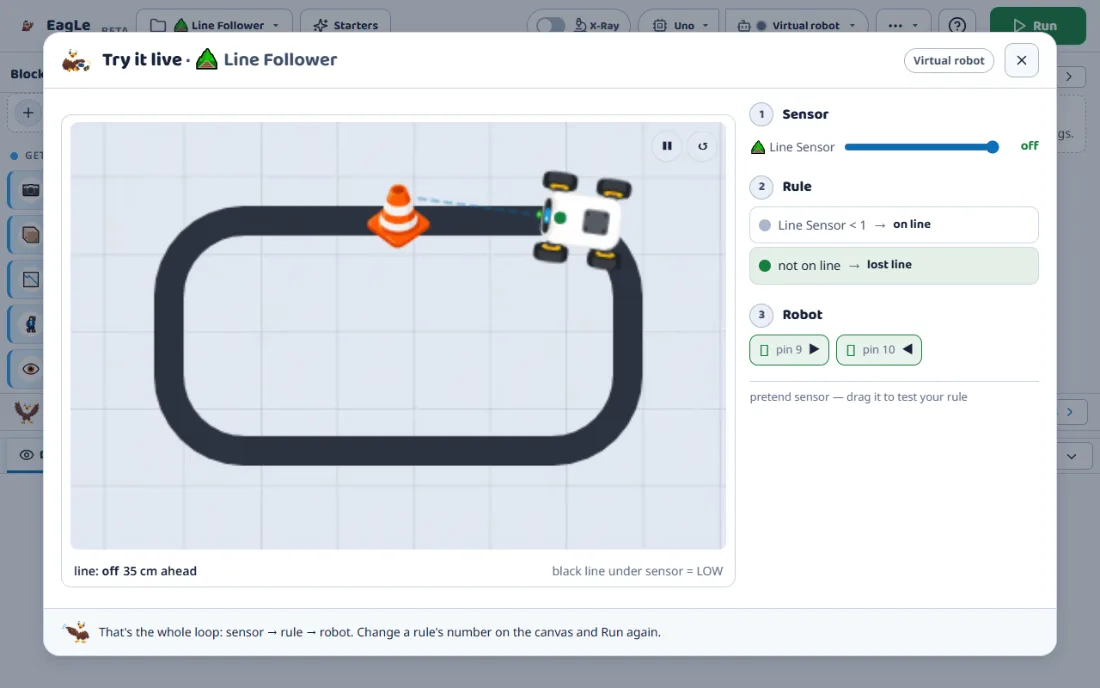
The on-screen robot in Maker, showing a light on, its arm at 45 degrees, driving forward and a screen that says Hello.
Real screens from EagLearn Maker: the Face Reader, live, and the on-screen robot.
  1. 1Data
  2. 2Model
  3. 3Prediction
  4. 4Action
6learning journeysJunior and Maker are open now
19AI brains in Makerpictures, poses, sounds, faces, words, tables, sensors
22starter projectsfrom gesture lights to a self-taught robot
66science chaptersin English and Hindi, inside Maker

Every model is scored on examples it never saw Works with Arduino and ESP32 boards, or an on-screen robot

The core learning loop

AI Is More Than a Prediction.

Learners do not just get an answer from a model. They build it, test it, and find out why it is right or wrong. Pick a stage to see it.

Stage 1 of 7

Collect Data: the examples are the lesson

A model only knows what it is shown. Learners record their own examples, one class at a time.

The learner does
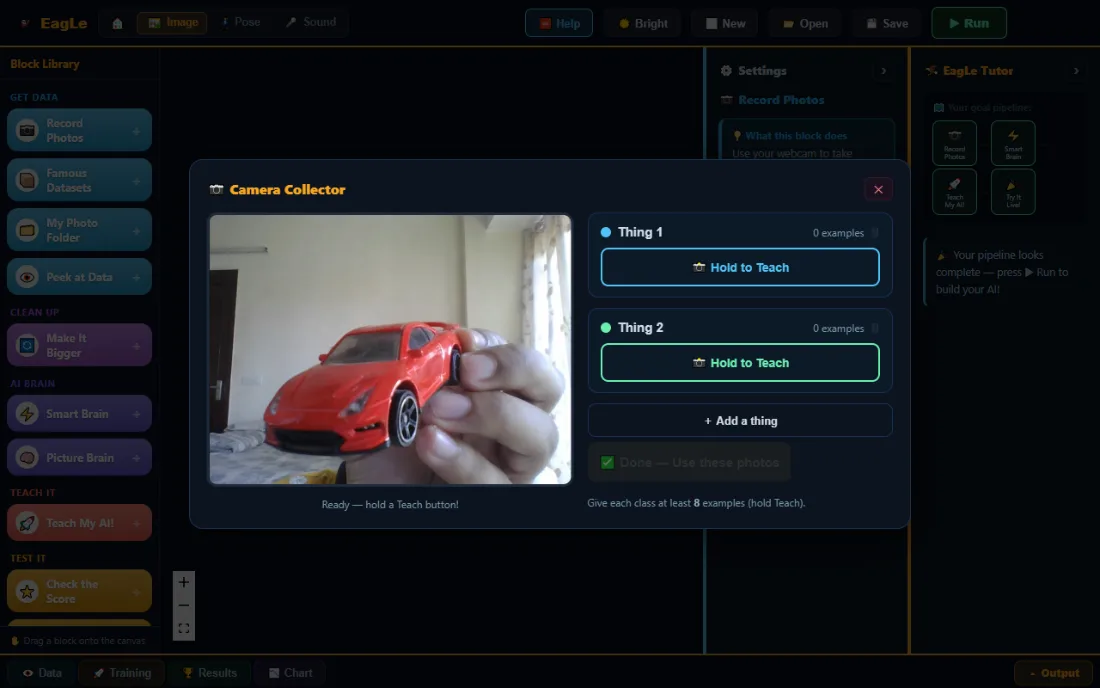
Holds a button to record photos of two things, from different angles and distances.
The learner understands
Varied examples make a model that copes with the real world. Too few, or too alike, and it fails.
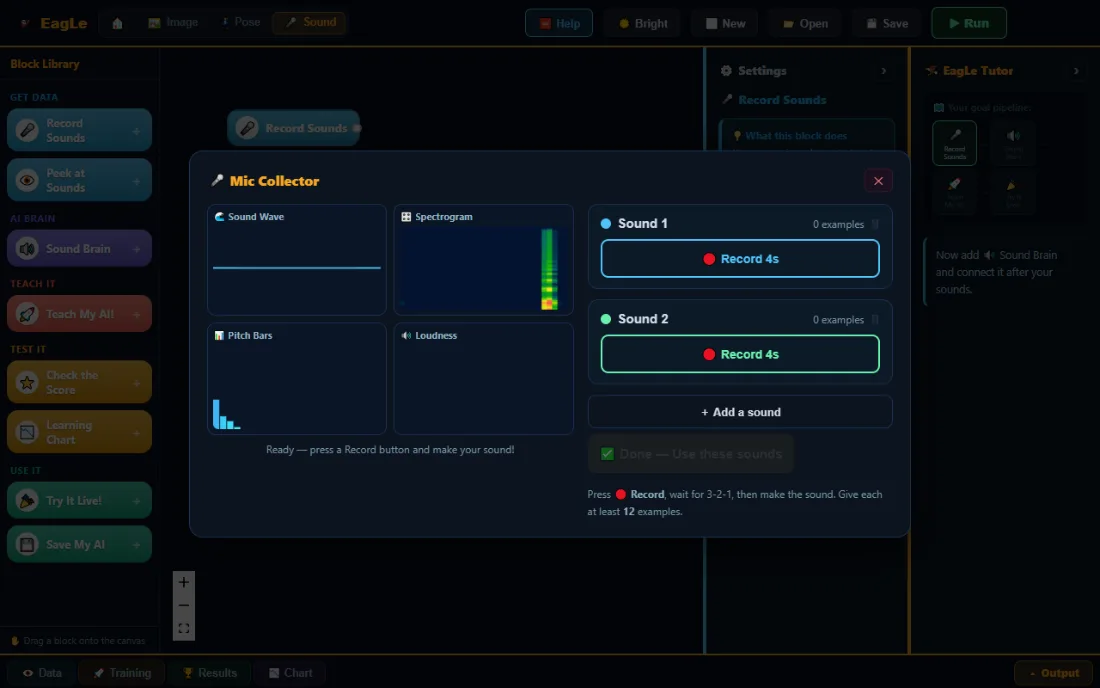
The Camera Collector in Junior: a live webcam view of a toy car beside two classes, each with a Hold to Teach button.
Real screen, Junior image lab. The Camera Collector, with two classes to fill.
Learning journeys

One Journey. Growing Intelligence.

From recognizing patterns to building intelligent systems, every stage builds on what came before.

  1. Early Years

    PlannedAbout Early Years
    Focus

    Patterns, sorting and colours, before any screen.

    Planned activity

    Sort picture cards into groups, then see a computer sort them the same way.

    Aim

    Knows that a computer learns from the examples it is shown.

  2. Junior

    Open nowOpen Junior
    Focus

    Teach a computer to see, hear and recognise a pose.

    Activity

    Train an image, sound or pose model in one of three labs, with a tutor at every step.

    Outcome

    Can say why the model got something wrong, and how more varied examples help.

  3. Maker

    Open nowOpen Maker
    Focus

    AI with programming and robotics: 19 brains, 101 blocks, real boards.

    Activity

    Teach hand gestures, then use them to drive a servo, a light or a small car.

    Outcome

    Understands the loop of see, think and act, and how a decision becomes a signal.

  4. Explorer

    PlannedAbout Explorer
    Focus

    Inside the neural network: layers, neurons and how they learn.

    In Maker today

    The Picture Brain’s X-Ray shows its own filters and each layer’s maps.

    Aim

    Can describe what a layer does to a picture, from what it sees.

  5. Creator

    PlannedAbout Creator
    Focus

    Language: sorting sentences, writing the next word, the meaning of words.

    In Maker today

    Word Brain, Story Machine and Word Galaxy, each with its X-Ray.

    Aim

    Knows that a language model picks likely words, which is not the same as true ones.

  6. Researcher

    PlannedAbout Researcher
    Focus

    Explaining and questioning models: evidence, errors and limits.

    In Maker today

    X-Ray and Brain views, honest scores, and the table of what a model mixes up.

    Aim

    Can challenge a model’s answer with evidence from its own data.

From screen to real world

What learners build, and how they know it works

Four projects that exist in the product today. Each one has a job for the AI, a job for the learner, and a test.

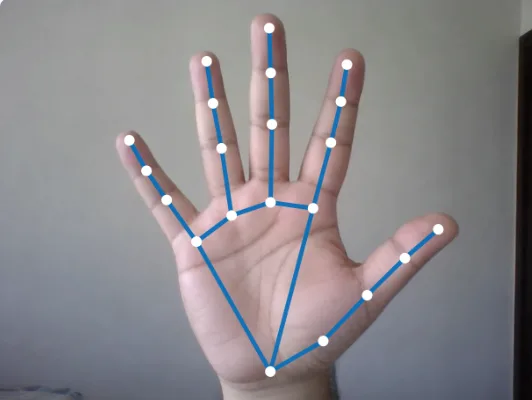
A hand held up to the webcam, with the 21 points the hand tracker found joined by blue lines.
Real camera view, Maker. The 21 hand points the tracker finds.

Two gestures that switch a light

What the learner builds
Gesture Lights: an open hand turns an LED on, anything else turns it off.
What the AI contributes
A ready-made tracker finds 21 points on the hand. The Pose Brain learns which pattern of points is which gesture.
What the learner must understand
The brain sees points, not a hand. Distance and angle change the points, so the examples need variety.
How it is tested
Live, in Try It Live: each gesture, how sure the brain is, and gestures it was never taught.
Explainable AI

Don’t Just See the Answer. Understand Why.

Every brain in Maker can be opened up. Learners see what it learned from, where it fails, and what its confidence really means.

  1. What the model learns from

    Peek at Data shows exactly the examples it studied, so the learner can spot a missing or badly recorded class.

  2. How predictions fail

    The results show what it mixes up, class by class, and tricks that fool it.

  3. What confidence means, and does not

    “80% sure” is how strongly the model leans, not a promise that it is right. A learner can set how sure it must be before a robot acts.

  4. How better examples help

    The tutor names the mistake and suggests what to record next. Learners retrain and compare.

  5. Why AI has limits

    The X-Ray shows when a model is guessing from the wrong clues, like the background instead of the object.

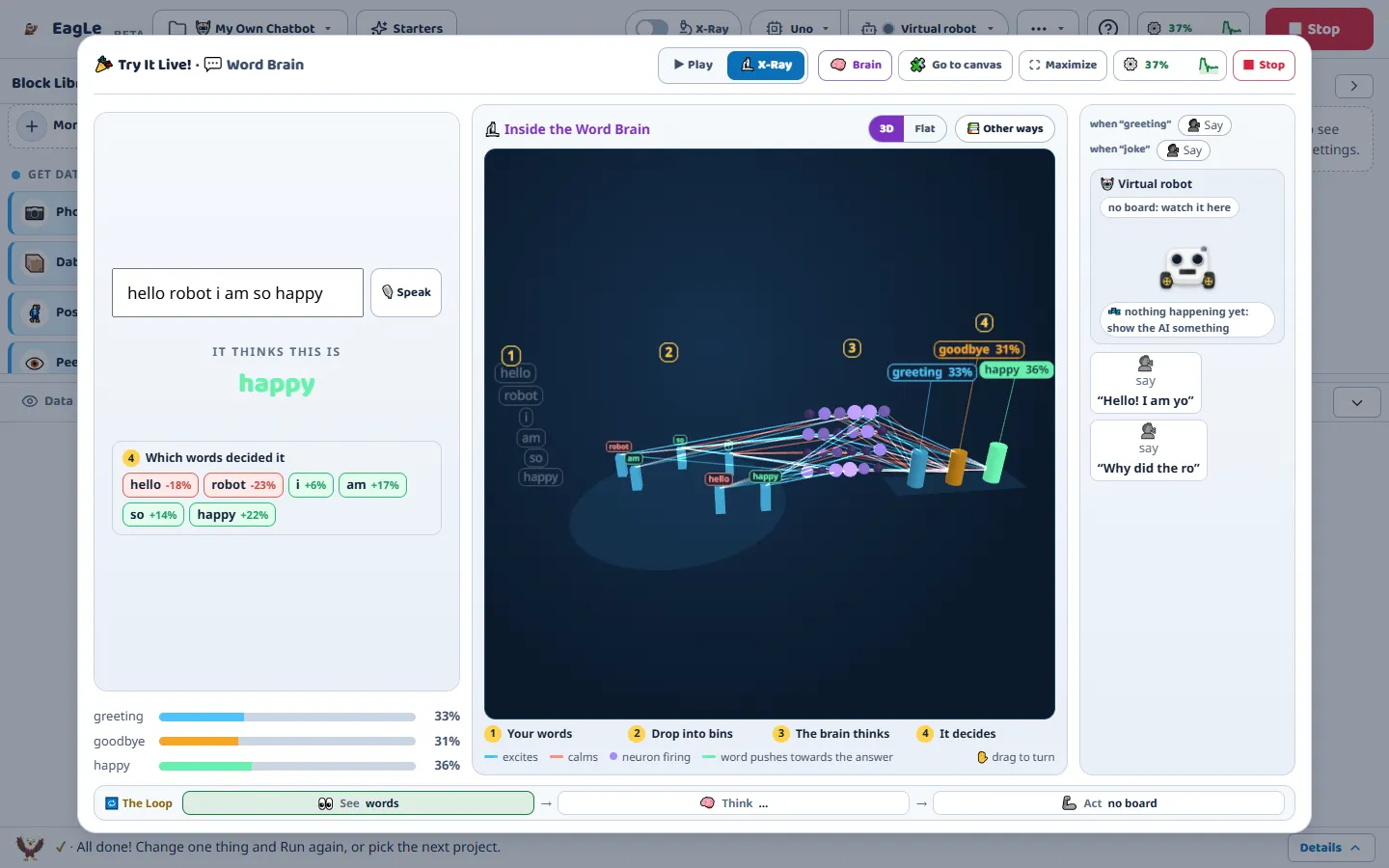
Word Brain X-Ray in Maker, in 3D: the sentence hello robot i am so happy drops into word bins, the neurons light up, and three pillars show greeting 33 percent, goodbye 31 percent and happy 36 percent.
Real screen, Maker. The Word Brain’s X-Ray: words become numbers, neurons fire, and each idea gets a pillar.

Being tested Every X-Ray with a live camera and microphone on ordinary school laptops.

Where to start

One platform, a clear way in for each of you

  • Students

    Build an AI that knows your hand signs, then make it switch on a light or drive a robot.

    Get Started
  • Parents

    Photos and sounds stay in the browser on your own device. Projects are saved as a file on your device. An account keeps a name and an email address.

    How we handle data
  • Educators

    A tutor in every lab says what to do next, and Maker has 66 chapters with questions and answers.

    See a lesson, stage by stage
  • Schools and campuses

    Runs on the lab machines you already have. No installs, no admin rights, free during early access.

    Bring EagLearn to your school
  • Partners

    Building a curriculum, a robotics kit or a learning platform? We would like to hear from you.

    Talk to us
Project showcase

Projects, and the thinking behind them

These are three of the 22 starter projects that come with Maker. They are not learner work: when schools share learner projects with permission, they will appear here.

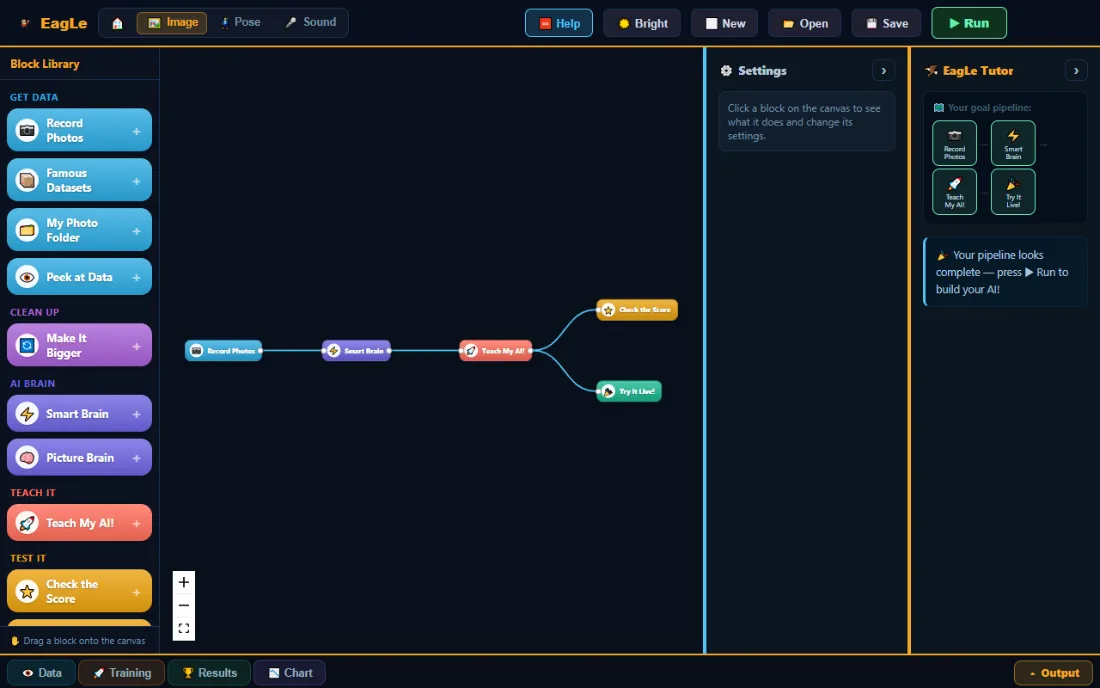
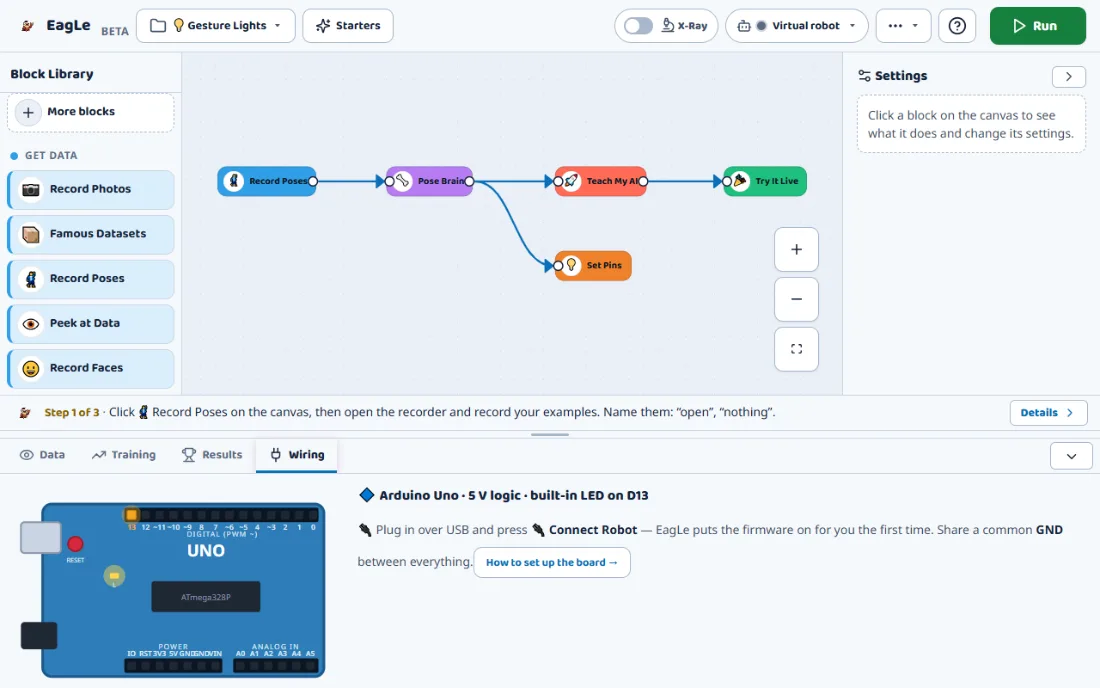
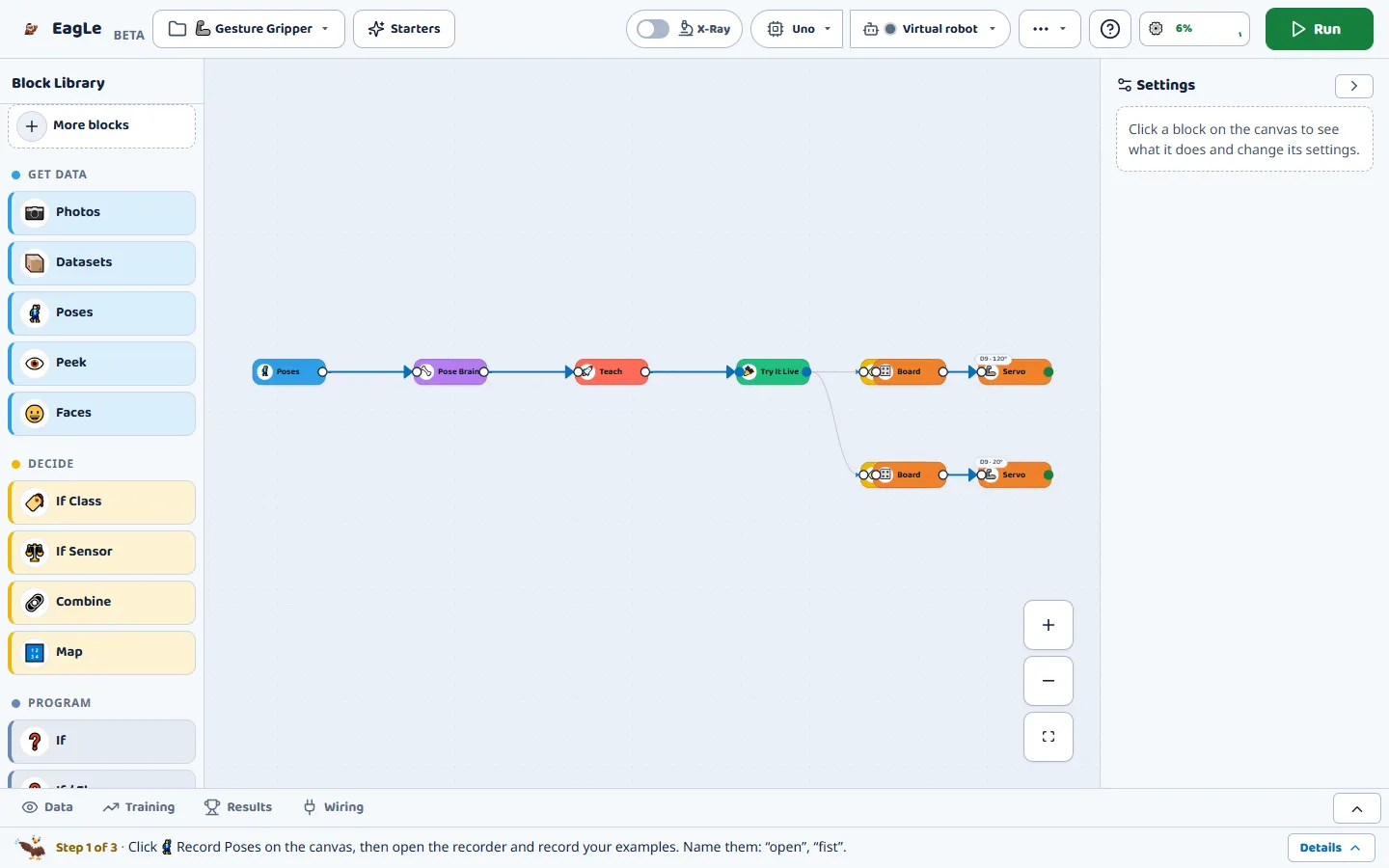
The Maker canvas for Gesture Gripper: Poses, Pose Brain, Teach and Try It Live joined by wires, with two servo lines.

Gesture Gripper

Problem
Open and close a robot gripper without touching a control.
Concept
Pose classification: a small neural network on hand points.
What you build
Record Poses, Pose Brain, Teach, Try It Live, and a servo line for each gesture.
What it shows
Gestures that look alike get confused. Clearly different ones work.
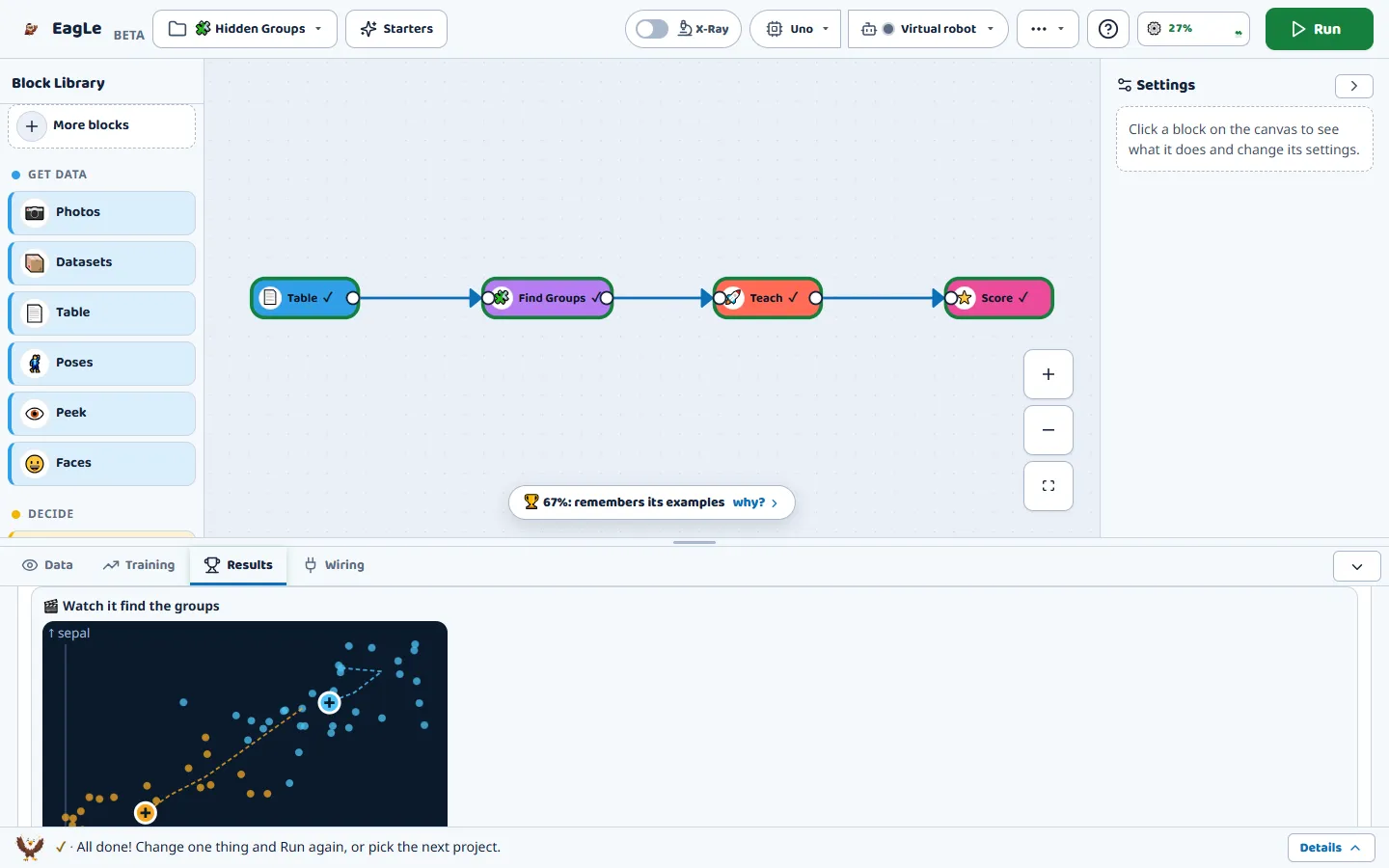
Find Groups result card in Maker: flower measurements as dots on two axes, and the group centres moving round by round.

Hidden Groups

Problem
Find groups in flower measurements when nobody gives the answers.
Concept
Clustering (k-means), a kind of unsupervised learning.
What you build
A table of measurements, the Find Groups brain, and its result card.
What it shows
The centres move round by round until no flower changes group.
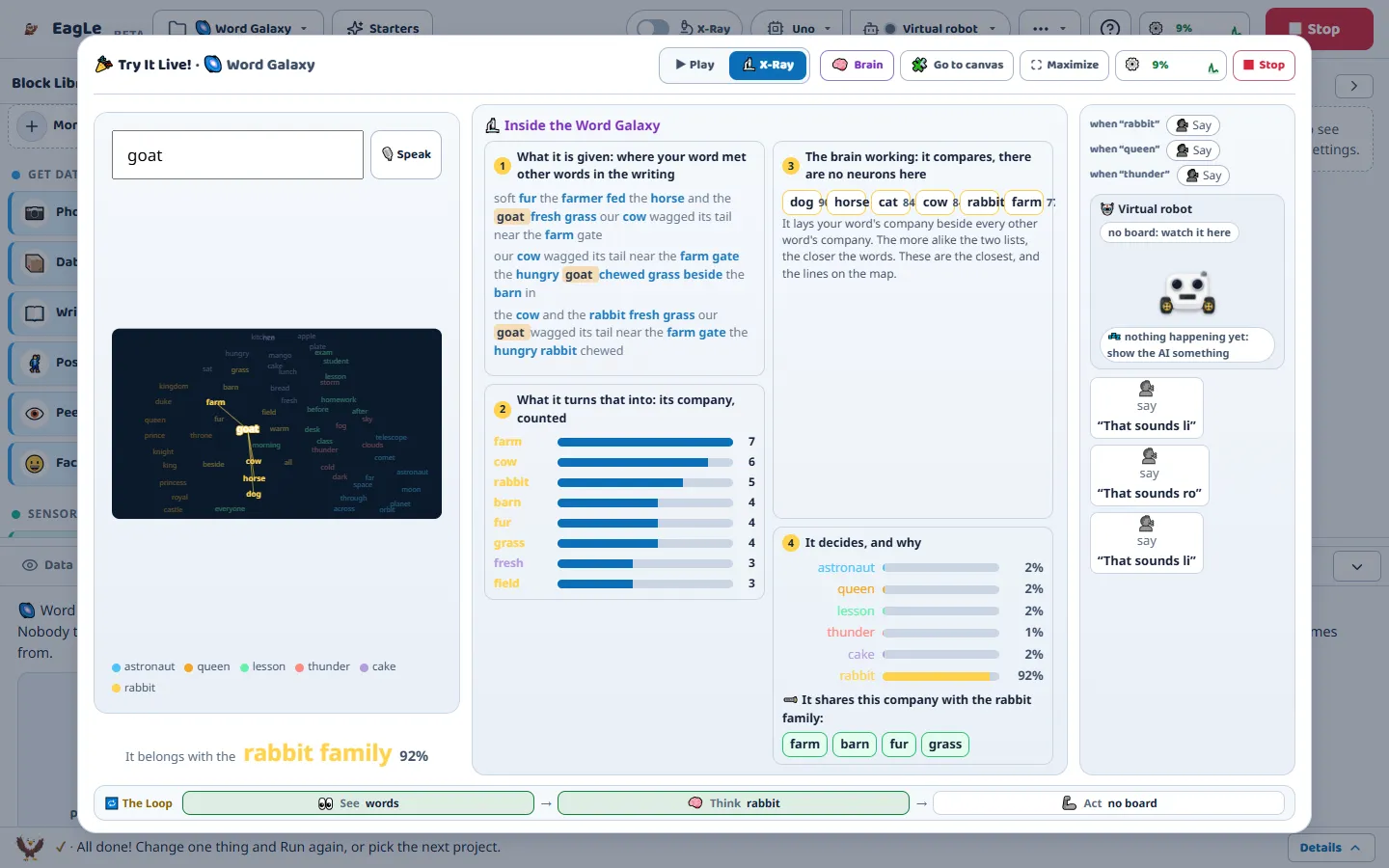
Word Galaxy in Try It Live: the word goat placed in the rabbit family at 92 percent, with the words around it counted.

Word Galaxy

Problem
Which words mean similar things, learned only from writing?
Concept
Word meaning from the company words keep (word embeddings).
What you build
Give it writing, then type a word and watch where it lands.
What it shows
“Goat” joins the rabbit family because of the words found around it.
Schools and educators

Ready for the lab you already have

If the machines in your lab open a website, they run EagLearn. Here is what a school needs to know.

Curriculum alignment
Built around the AI project cycle in CBSE’s Computational Thinking and AI curriculum. We walk your teachers through our mapping.
Lesson structure
Every lab follows the same stages: collect, train, test, reflect. Maker’s first starter projects take 5 to 10 minutes.
Teacher support
A tutor in every lab, and 66 chapters with questions and tap-to-see answers, in English and Hindi.
Device requirements
Any laptop, desktop, Chromebook or tablet with a current browser. A webcam or microphone for lessons that see or hear.
Project-based learning
Every lesson ends with something that works: a model, a live demo or a robot that moves.
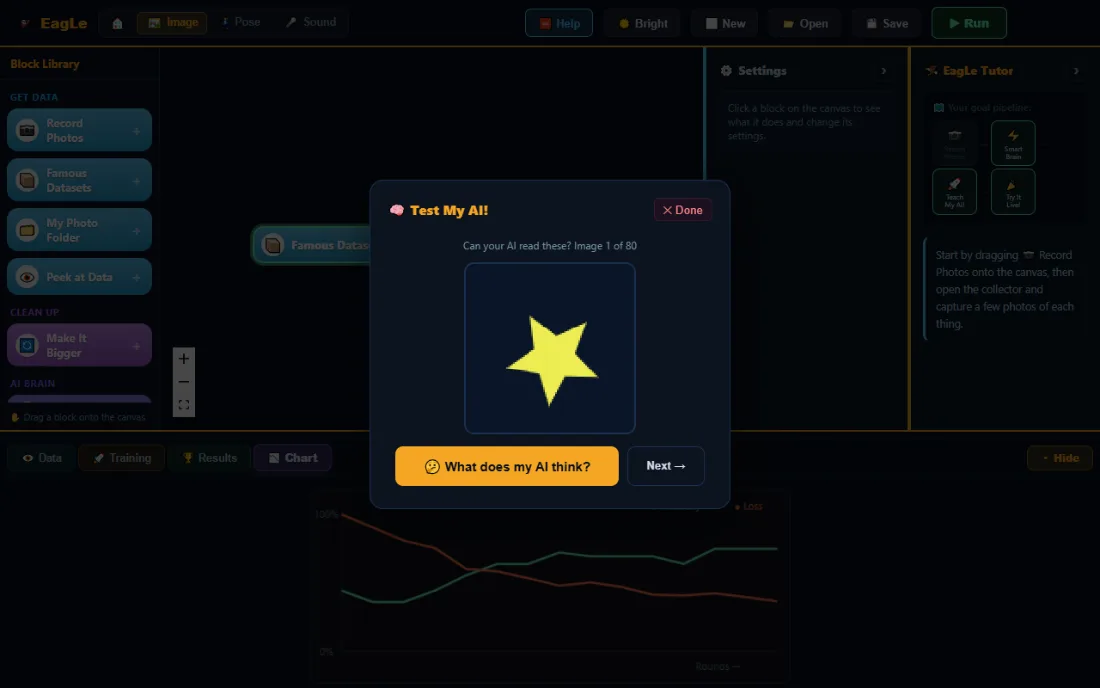
Learning assessment
Each model is scored on examples it never saw, and chapter questions check understanding. A teacher gradebook is not built yet.
School onboarding
No installs and no admin rights. Tell us about your school and we set up a first lesson with your teachers.
Robots, if you want them
Optional, and only for Maker: Arduino and ESP32 boards, or the on-screen robot.
Trust and evidence

No testimonials yet. Check the work instead.

EagLearn is in early access. We show quotes only from real, named teachers and parents who agree to it. Until then, here is how to check what we say.

Real training, on your device

Models are trained in the browser, not on our servers. Maker keeps working offline after the first visit.

Honest scores

The test examples come from the end of each recording, so near-identical frames cannot leak from learning into testing.

Nothing uploaded

Photos and sounds stay in the browser. Close the tab and the recordings are gone.

X-Rays from real numbers

Each X-Ray is drawn from the running model, and automatic tests check its arithmetic against the real one.

We say what is unproven

Anything built but not yet proven on real hardware is marked “Being tested”, here and in the app.

Ask us the hard questions

About data, safety or results. We answer in writing at eaglearn.info@gmail.com.

Make Intelligence Something Learners Can Understand.

Start with one journey, or bring EagLearn to a whole school. Free during early access.